
How to Delete Your Saveit Account
Follow these simple steps to permanently delete your account and associated data.
1
Access Your Profile
Log in to the Saveit app and navigate to your My Profile page. You can find this by clicking the Profile icon in the bottom navigation bar.
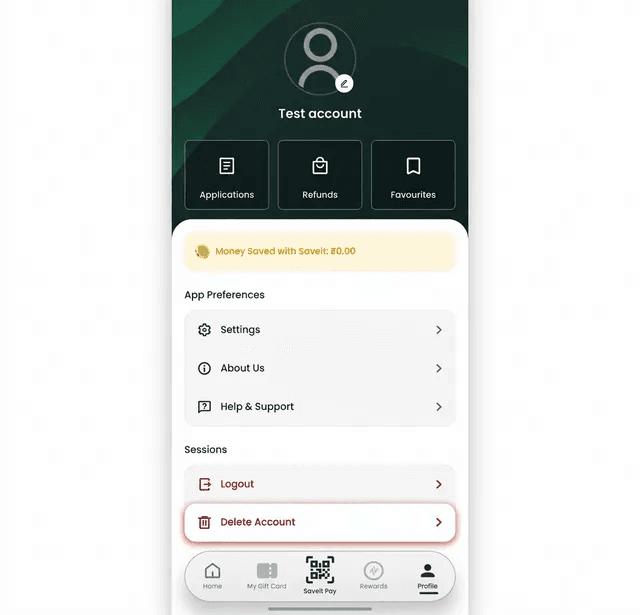
Click on the Delete Account option located in the Sessions section.
2
Provide Feedback (Optional)
On the Delete Account page, you will see information about what happens when you delete your account. You can optionally provide feedback in the text box.
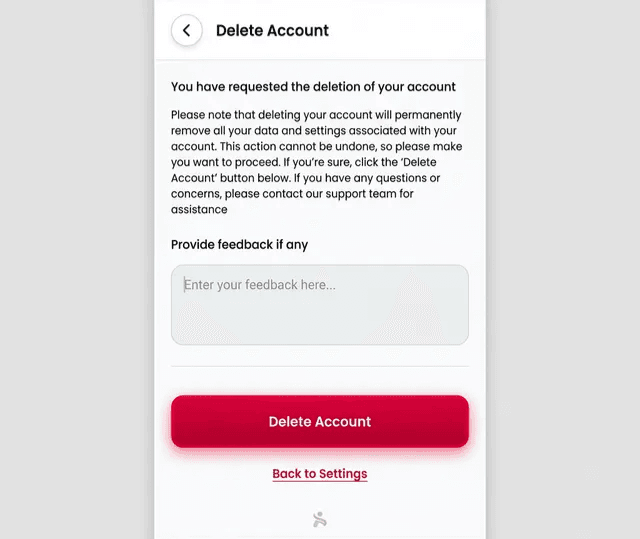
Click the Delete Account button to proceed.
3
Final Confirmation
A confirmation modal will appear asking if you are sure you want to delete your account.
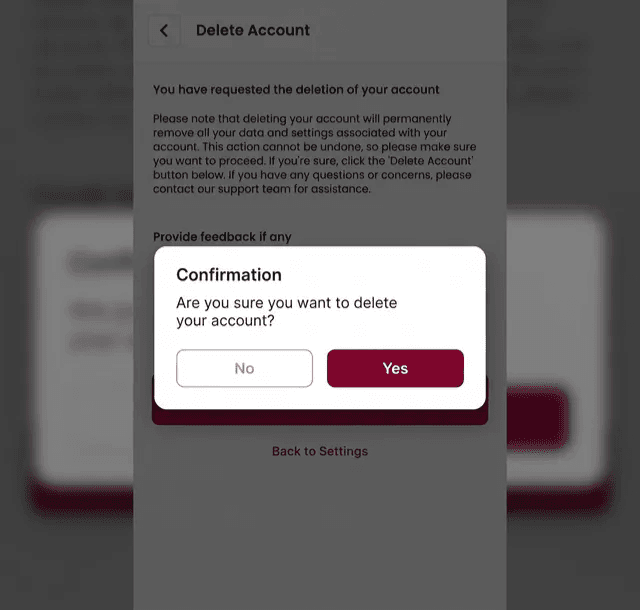
Click Yes to finalise the deletion. This action cannot be undone.
Warning
Deleting your account will permanently remove all your data and settings. This action is irreversible.